
Assured apps to the standards you choose
Albitor builds from your brief and tests every part against standards you can tailor.
We'll only use your email to send your invite. Privacy
Invite-only for now.
I have an invite code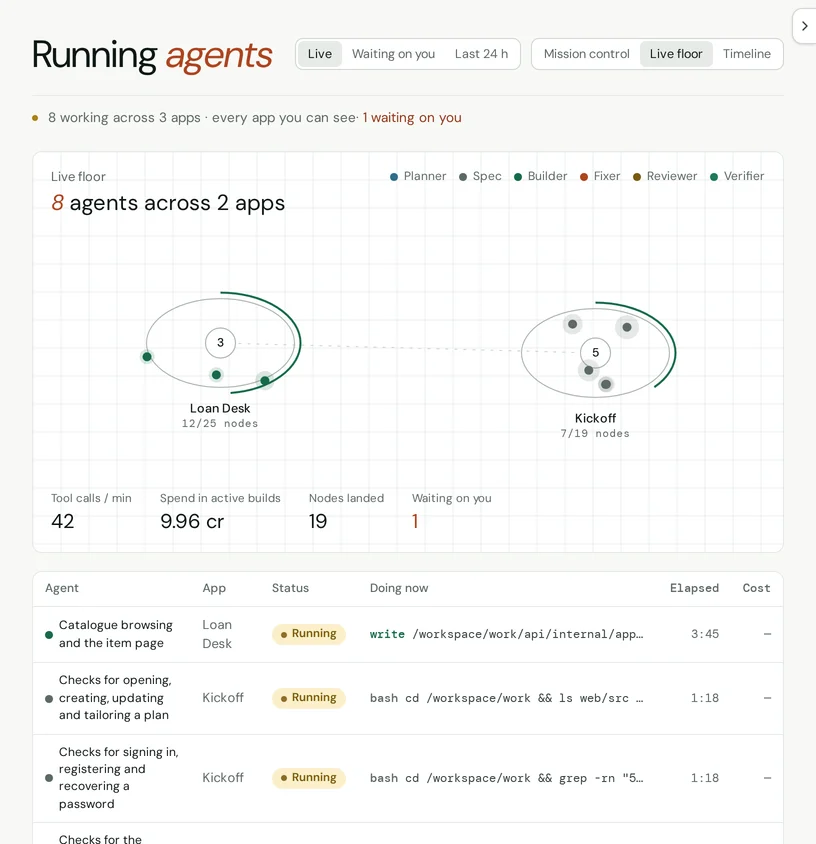
One real brief
This is the whole brief for Kickoff, one of the two apps on the Live floor above.
Albitor asked what the brief left open, let its author choose a layout and a look, and built it in parts, each checked against the standards they chose. The code is theirs.
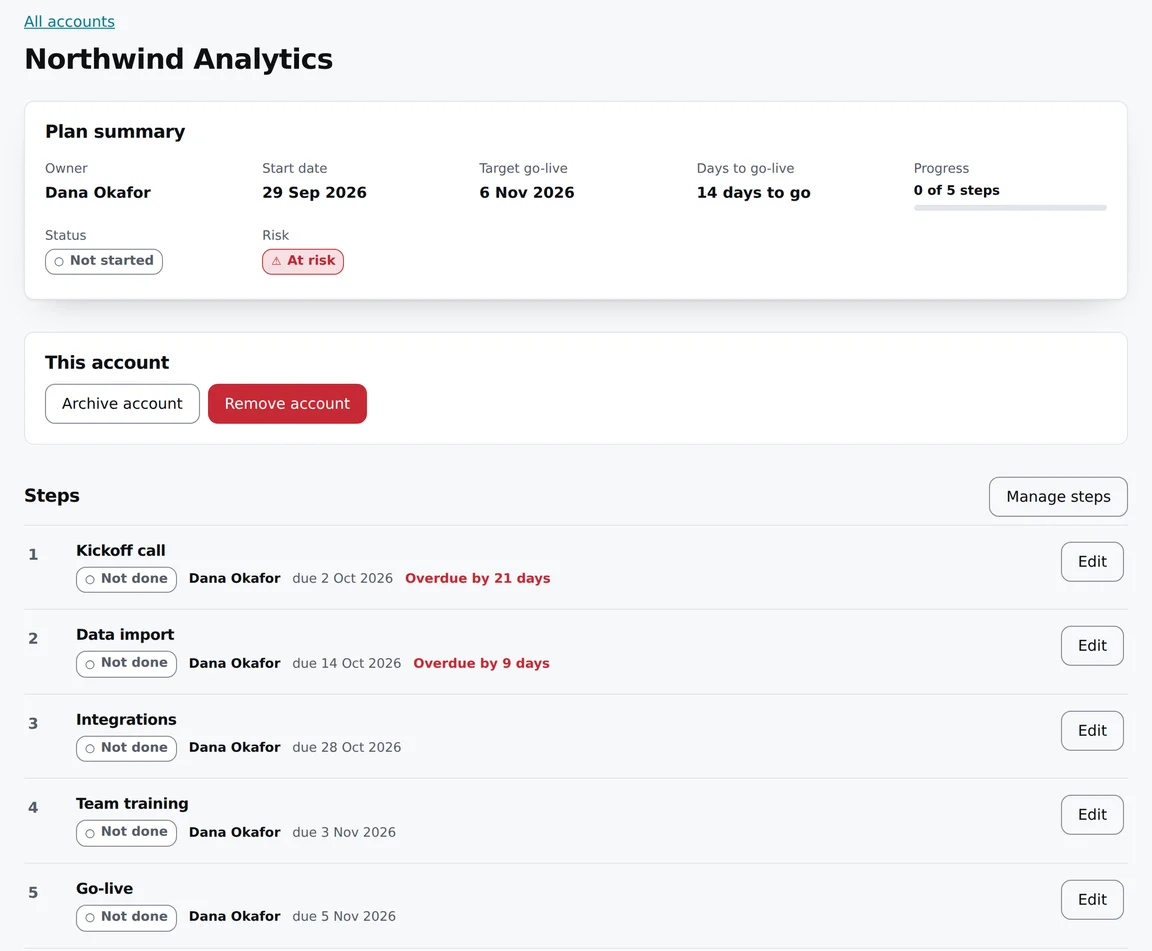
Build a customer onboarding tracker for a B2B software startup. Each new customer account gets an onboarding plan with steps such as kickoff call, data import, integrations, team training and go-live, each with an owner and a due date. The customer success team sees every account's progress, which accounts are at risk because steps are overdue, and the days to go-live.
The whole brief, 61 words.
What happens after you write the brief
- Albitor reads it back. It lists who the app is for and what each of them needs to do, so you can correct it before anything is built.
- You settle what it left open. It asks about anything the brief didn’t say, offers layouts and looks, and asks which standards the app must meet and where it should run.
- It builds in parts. You can see which parts of the app work yet, what is running and what it has cost so far.
- It checks the result. Against the standards you chose, and through each journey in the app, before anything is signed off.
- It goes live. On Albitor or on your own infrastructure. You can download the whole codebase at any time.
Nothing goes live until it passes the checks
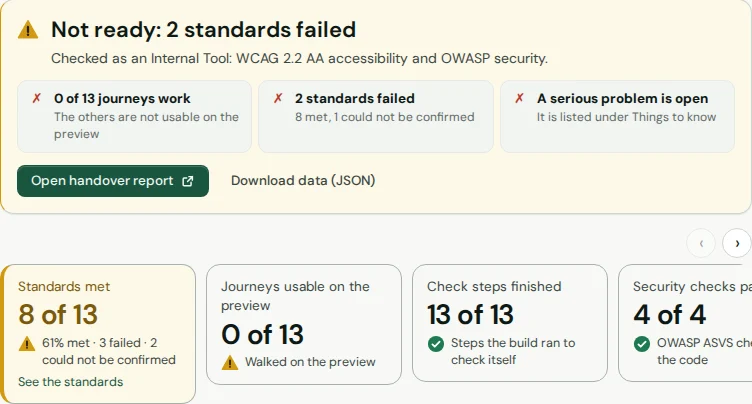
Every part is checked against the standards you chose. If a required check fails, or can't prove it passed, the build is held and the page says which check and why.
- Each standard, met or failed, with the evidence behind it
- Every user journey walked on a preview before it counts
- An assurance pack you can hand to an auditor
What you get at the end
- A working tool, running where you chose to put it.
- The whole codebase: code, CI, infrastructure as code and engineer docs, to download any time.
- A blueprint of what you asked for, what was decided and how it's built.
- A handover pack for whoever looks after the tool next.
Built from plugins
Albitor builds every tool from plugins you choose. Each one brings its own components, patterns and checks, so adding one changes what gets built and what it's tested against.
- Design systems, such as the GOV.UK Design System or IBM Carbon
- Visual styles, such as editorial or Swiss
- Capabilities, such as sign-in, or documentation written to C4 and arc42
The standards follow from the plugins: pick the GOV.UK Design System and the tool is built and checked to its patterns and WCAG 2.2 AA.
For a business or a larger organisation, tell us the tool you have in mind and we'll walk you through a finished build.
Start with one app
When you're in, you pay only for the building, from £1 a credit (inc. VAT), and you see the credits a build uses while it runs.